Authentication, owned games, recent activity, and source metadata.
Back to Selected Systems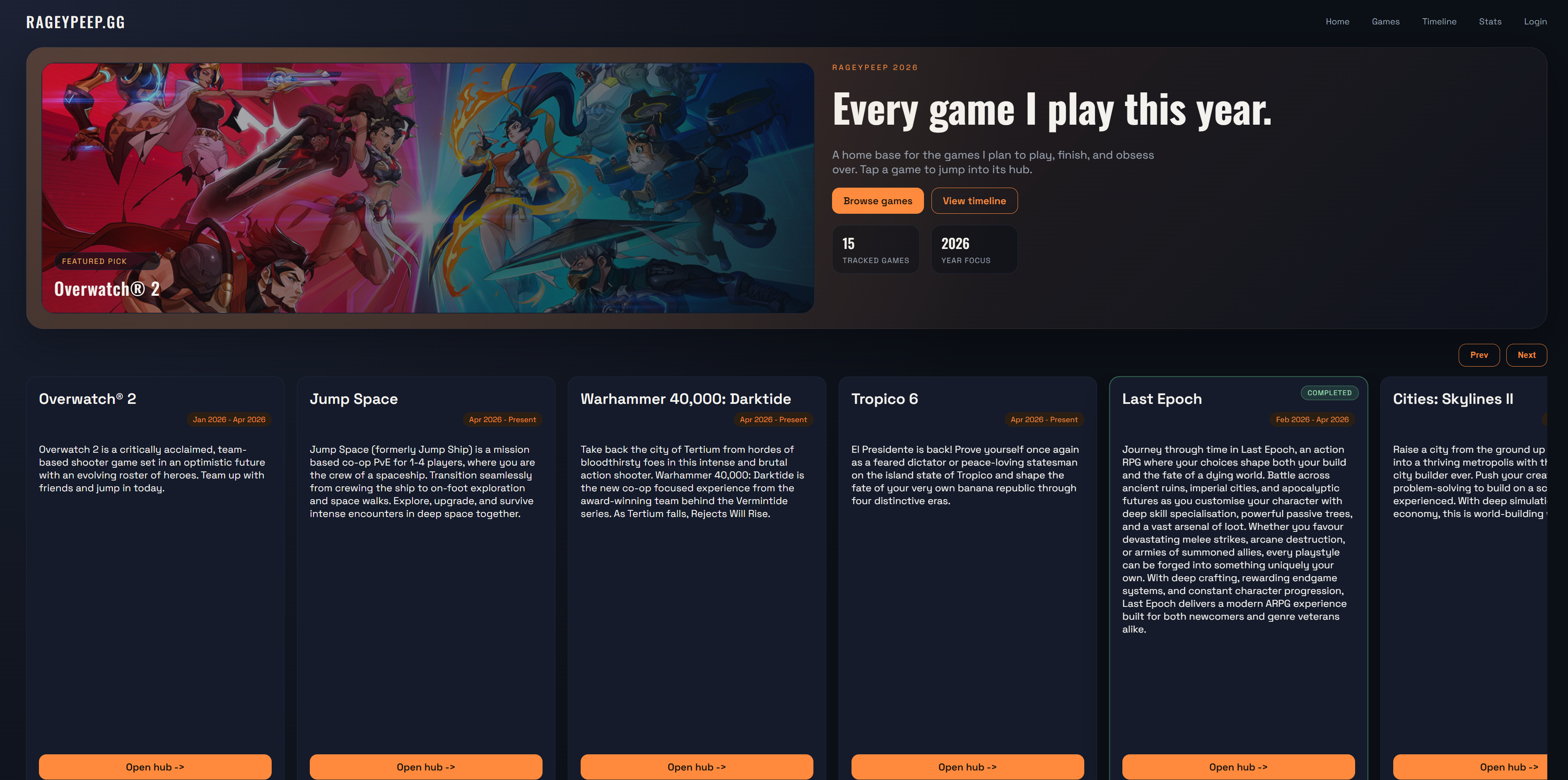
Steam login + API Cron sync Flask admin Game pages
webapp
Live
rageypeep.gg
A custom-built gaming platform for tracking playthroughs, reviews and automatically generating game pages from live data.
Steam API data, cron sync, admin tools, and generated game pages running self-hosted.
A demo of the rageypeep.gg platform, showcasing automatic game page generation, custom content and dynamic updates.
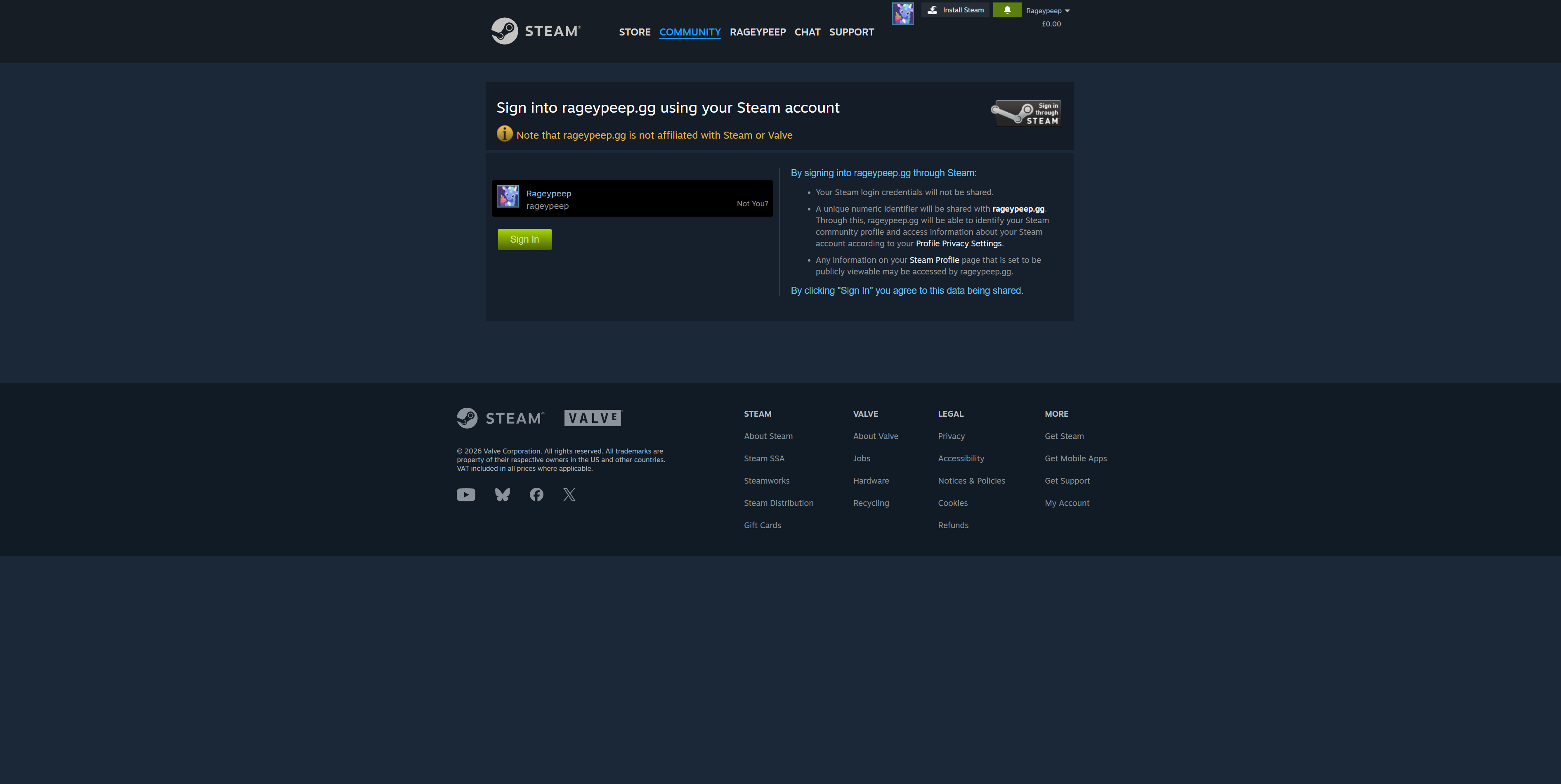
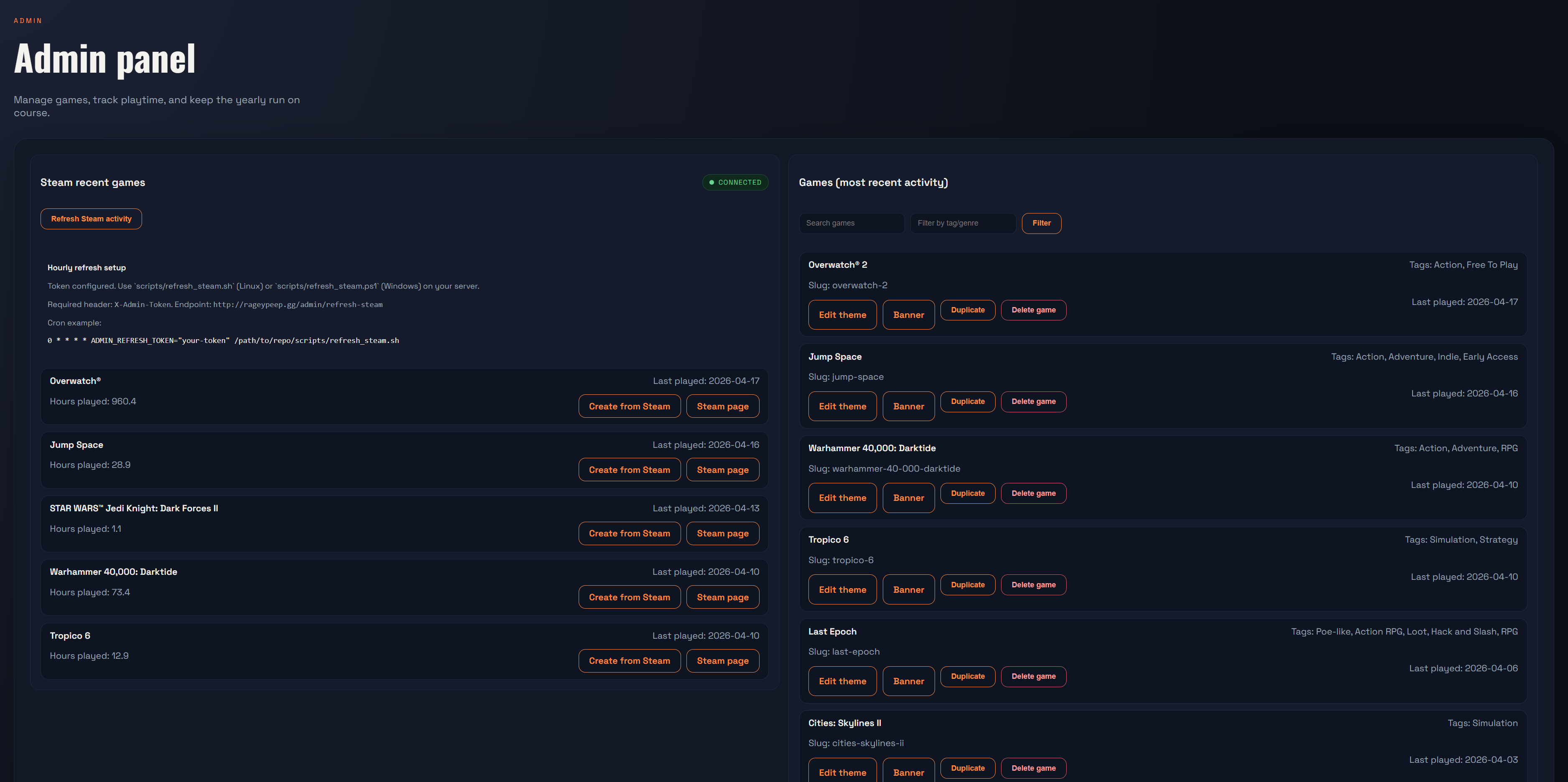
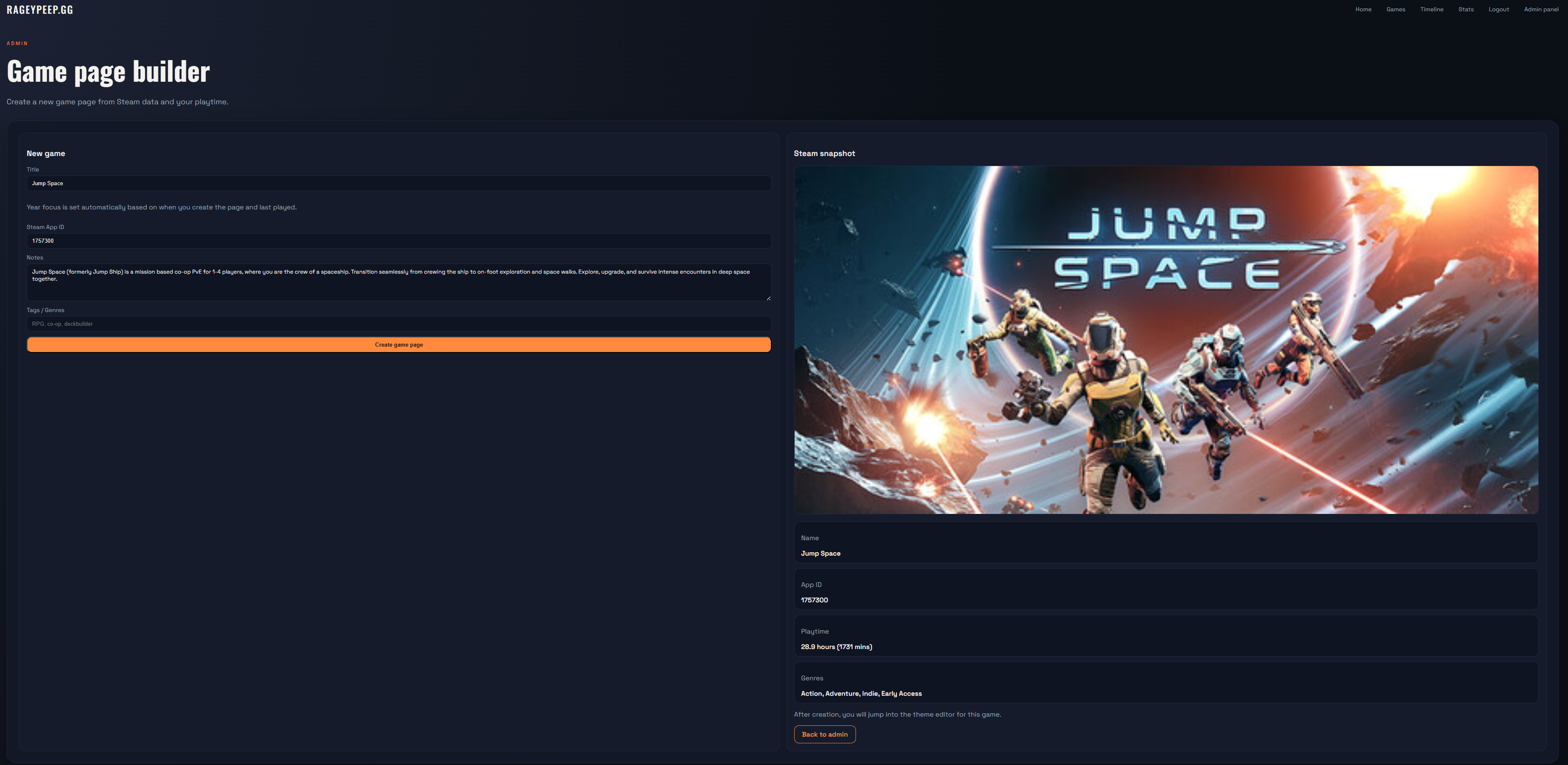
Screenshots
01 — Login via Steam
02 — Showing the Admin Dashboard
03 — The New Game Page
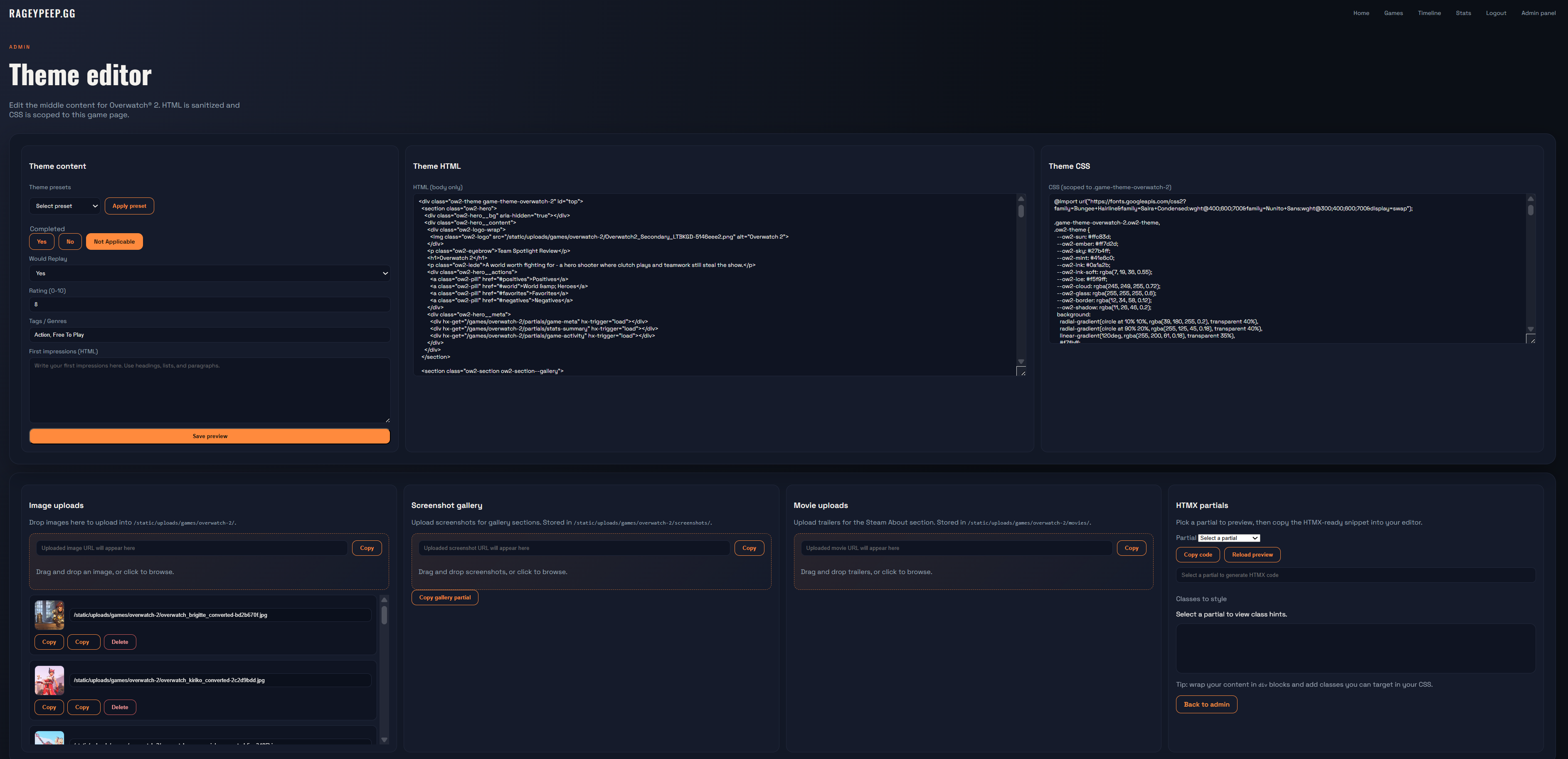
04 — The Theme Editor
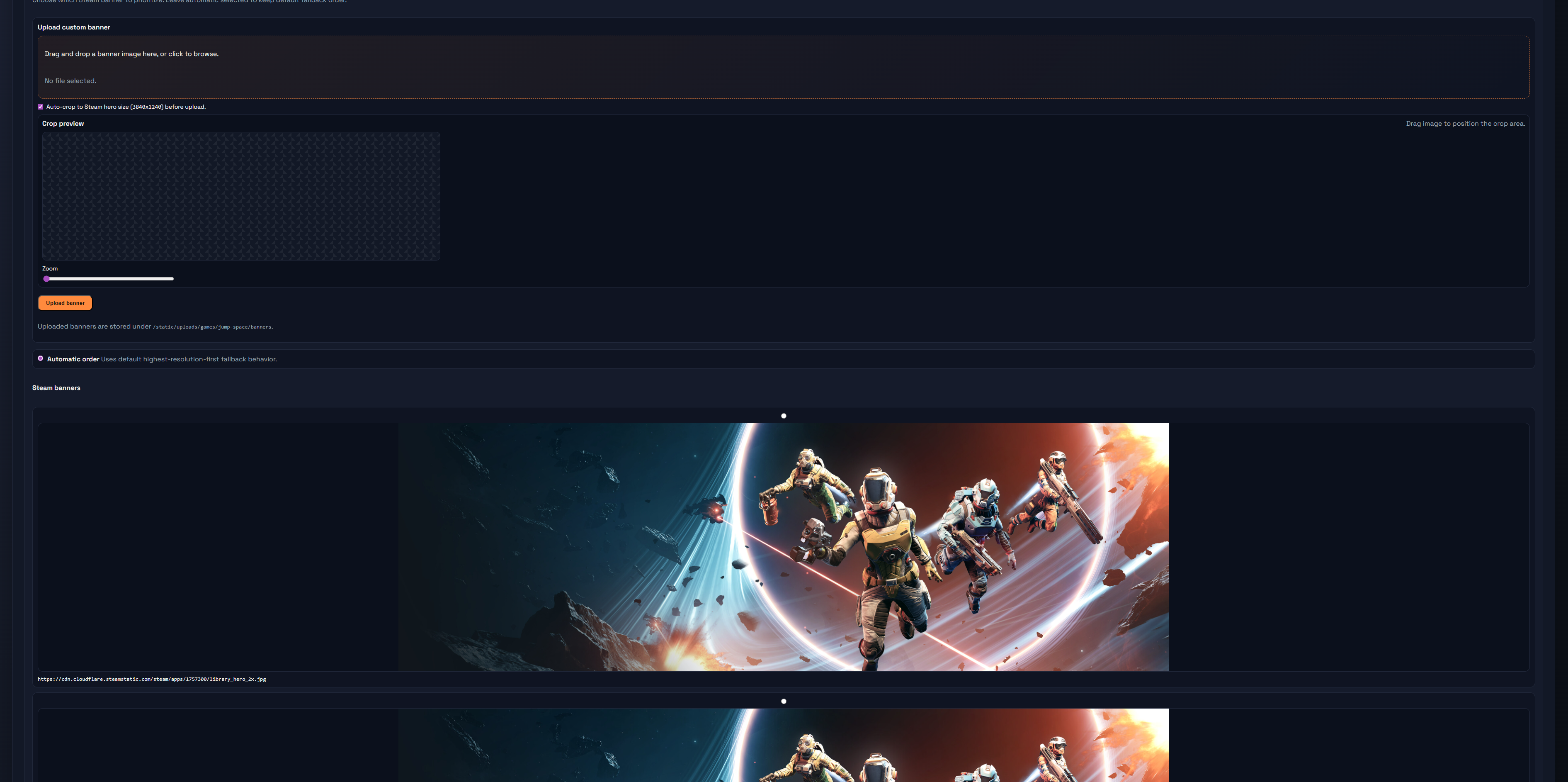
05 — Select or make your own Game Banner
rageypeep.gg is a custom-built web application designed to track playthroughs, reviews and personal game logs, combining automation with flexible content creation.
The platform integrates with the Steam API to retrieve owned games and recent activity, allowing new game pages to be generated automatically with relevant data such as titles, descriptions and playtime.
Each game page can then be extended with custom content, including screenshots, notes and structured layouts, giving a balance between automation and manual control.
The site is built using Flask and HTMX, focusing on a server-rendered approach with dynamic updates rather than relying on heavy frontend frameworks. This keeps the application fast, simple and maintainable while still allowing interactive features.
The system also includes an admin interface for managing content, triggering updates and handling background processes such as refreshing Steam activity data.
rageypeep.gg is hosted and maintained on a self-managed server, forming part of a wider personal infrastructure for deploying and running web applications in a live environment.
Problem
A game log needed automation and manual control
The goal was to avoid hand-building every game page while still allowing custom pages, screenshots, reviews, and notes. Steam data provides the seed, while the admin tools keep the final result editable.
Approach
Live data feeds into a server-rendered content system
The app uses Steam authentication and API data to generate structured pages, then relies on Flask, HTMX, and admin workflows to refine content without requiring a complex client application.
Result
A self-hosted content platform for a real hobby workflow
rageypeep.gg became a practical example of the wider stack: external APIs, scheduled background jobs, admin tooling, generated content, custom theming, Docker deployment, and live maintenance.
System path
rageypeep.gg data loop
A self-hosted Flask platform that turns Steam activity into generated game pages, then lets the admin layer refine the result.
Scheduled refresh jobs update activity and detect useful changes.
Content editing, page generation, theme controls, and manual overrides.
Published reviews, screenshots, notes, and generated layouts.
- Automation creates the first pass, but the admin tools keep the pages personal.
- HTMX partials support dynamic admin actions without turning the app into a SPA.
- The system runs as part of the same Docker and Caddy self-hosted environment as the portfolio.
Key Features
- Automatic game page generation using Steam API data
- Customisable game pages with screenshots and structured content
- Server-rendered dynamic interface using Flask and HTMX
- Admin tools for managing content and triggering updates
- Background processes for refreshing and syncing game data
- Self-hosted deployment on a managed server environment
Challenges
- Integrating external API data into a structured content system
- Balancing automated page generation with manual customisation
- Designing a flexible content model for different types of game pages
- Handling background updates and data refresh without interrupting the user experience
- Managing deployment, hosting and performance on a self-hosted server